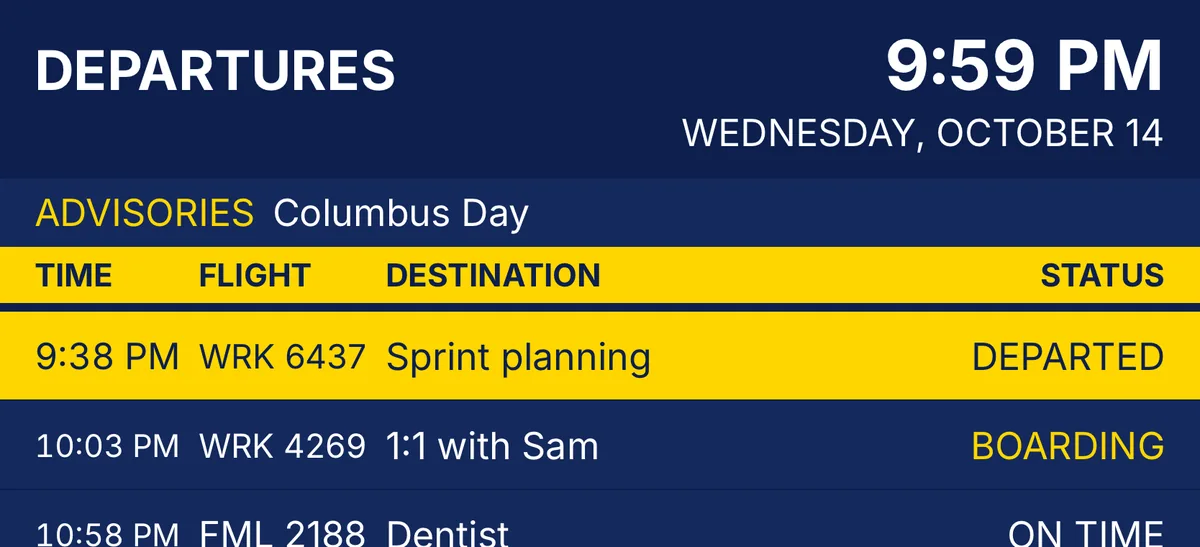
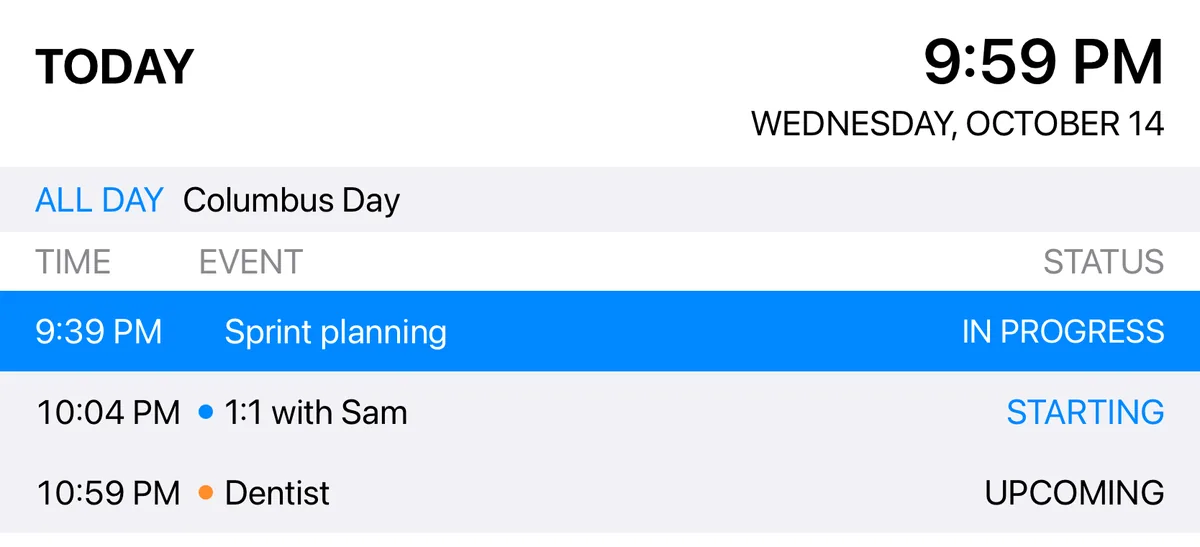
Your day, on the departure board.

Airport Board turns today's calendar into a split-flap departures board. Hang an iPad outside the office door and the whole house knows when you're in a meeting. No one has to ask.

Free. No ads, no account, no subscription. iPad, iPhone, and Mac.

Departures

Live sample, running on your clock. The yellow row is the meeting happening right now.

Why this exists

I got tired of "are you on a call?"

I work from home. My family doesn't have my calendar, and they shouldn't need it. What they need is a glance at the hallway: is he in a meeting right now, and when does the next one start?

So I built a departure board. An old iPad lives outside my office door and shows the day the way an airport shows flights. In progress is loud. Up next is boarding. Done is gone. It turns out that's all anyone needed.
How it works

Three steps. Then forget about it.

01

Pick your calendars

Airport Board reads the calendars already on your device: iCloud, Google, Exchange, whatever Apple Calendar can see. Choose which ones go on the board.

02

Hang it on the wall

An iPad on a shelf or a cheap wall mount, in Guided Access so nobody wanders off to YouTube. The board updates itself all day.

03

Glance

The current meeting is the brightest thing on the screen. The next one flips to Boarding a few minutes before it starts. Finished events roll off.

Themes

Four looks. Pick the one your hallway deserves.

Solari theme: black split-flap board with yellow text

Solari

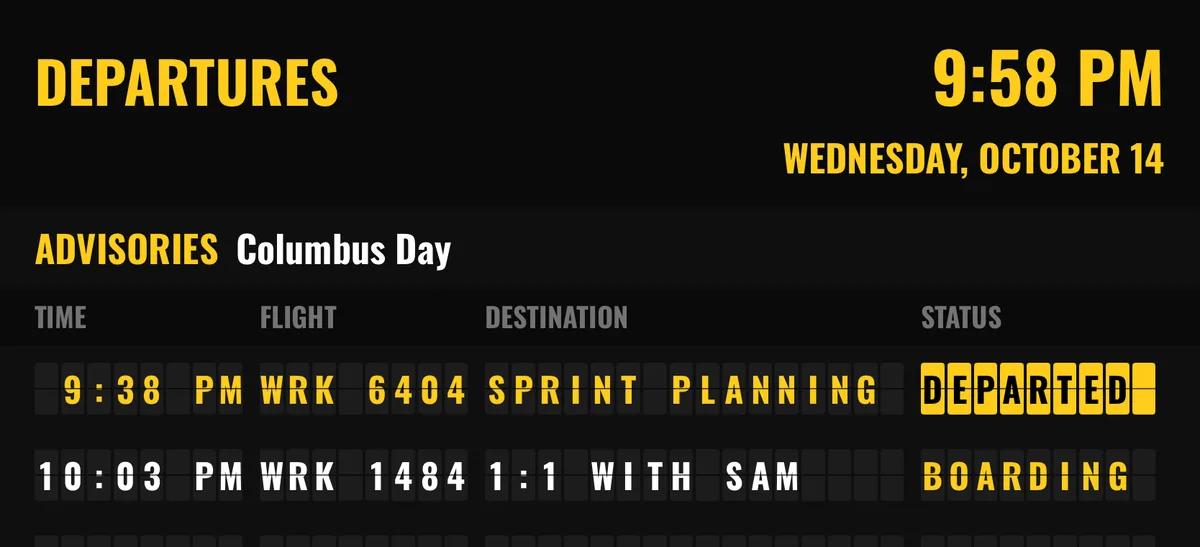
The classic split-flap board, black and yellow. Flaps flip when a status changes. The default, and the one on my wall.

Terminal LED theme: amber dot-matrix text on black

Terminal LED

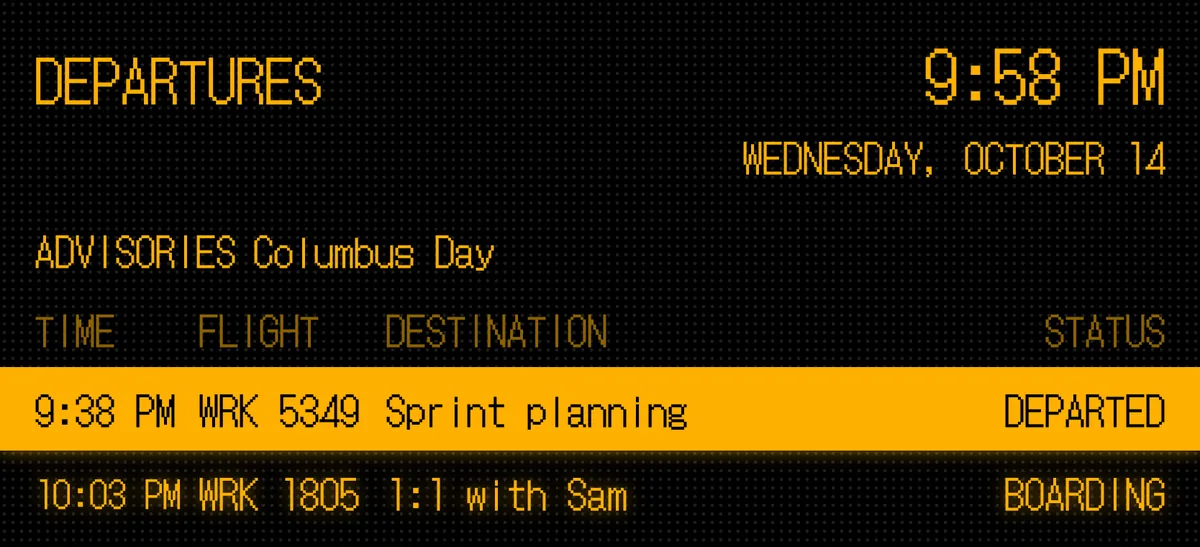
Amber dot-matrix on black, like the gate sign at a regional airport in 1994. Glows a little.

Modern Departures theme: navy board with white text and a yellow bar

Modern Departures

Navy and white with a yellow column bar. The big-airport look, easy to read from across the room.

Plain theme: white background with system fonts and a blue highlighted row

Plain

System fonts, follows light and dark mode, no flight codes. For when you'd rather it just look like a schedule.

The details

Small things that matter on a wall

Right now is loud

The event in progress gets the highlighted row. From the hallway, that's the only thing anyone's looking for.

Boarding, then departed

Events flip to Boarding ahead of their start time (you choose how far ahead), then Departed once they begin.

Done means gone

Finished events roll off the board. By evening, the board is empty. That's the point.

Declined shows as cancelled

Meetings you declined stay on the board marked Cancelled, so the house knows you're free. Or turn that off and they vanish.

All-day events are advisories

Holidays, birthdays, and "kids out of school" sit in a strip under the clock instead of hogging a row.

Flight numbers from your calendars

Each calendar gets a three-letter airline code, so you can tell whose event it is at a glance. Work becomes WRK. Family becomes FML. I swear that wasn't on purpose.

12 or 24 hour clock

Your call. The board shows the date too, which is handy when the iPad is the only clock in the hall.

Works with the calendars you have

Anything in Apple Calendar on the device shows up: iCloud, Google, Microsoft 365, Exchange, local. No extra sign-ins.

Also a Mac and iPhone app

The same board runs on a Mac in the corner of a monitor, or on an iPhone for a quick look at the day.

Privacy

Your calendar stays on your device.

Airport Board reads events through Apple's calendar framework and draws them on the screen. That's it. No servers, no accounts, no analytics, no ads, and no network connection needed. I couldn't see your calendar if I wanted to. Read the whole privacy policy (it's short).

Requirements

Runs on the iPad you already have

  • iPadiPadOS 16 or later
  • iPhoneiOS 16 or later
  • MacmacOS 13 Ventura or later

Any iPad that runs iPadOS 16 will do, including the one in the drawer.

Free, for real

No price tag. Coffee optional.

Airport Board is free and will stay that way. I built it because I wanted it, and I'm happy if it's useful to you too. If it saves you a few hallway interruptions and you feel like saying thanks, you can buy me a coffee.